


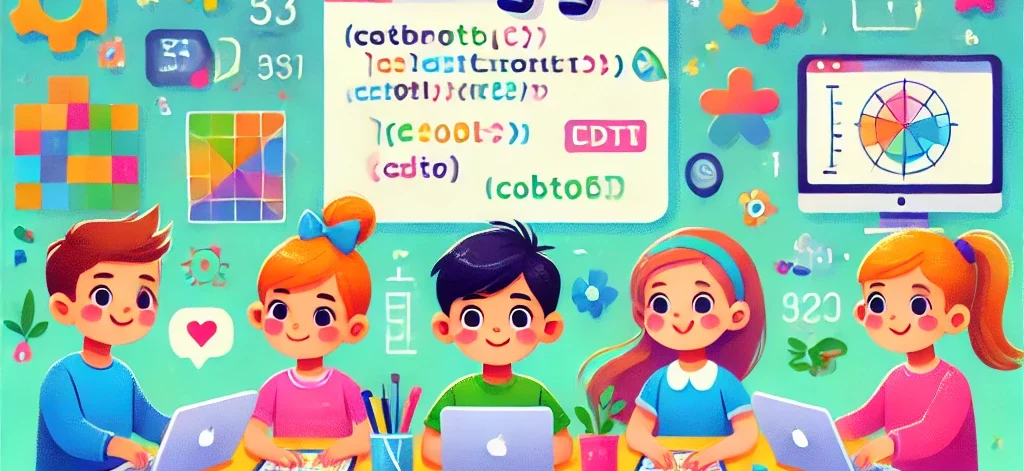
Introduce Your Kids to The Coding: A Guide for Parents
In today’s digital world, technology is deeply embedded in our lives. From smartphones to video games, apps, and even toys, coding is the backbone of many technologies that kids interact with daily. While it might seem daunting for parents to introduce their children to coding, it’s an incredibly beneficial skill that can empower young minds to think creatively, solve problems, and understand how the digital world works.
This blog will explore why coding is essential, the benefits of introducing kids to programming, the best age to start, tools and resources to begin, and how parents can guide their children in this exciting journey.
-
Why Coding Is Essential for Kids
1. Fostering Problem-Solving Skills
At its core, coding is about solving problems. Whether creating a simple game or developing a website, coding encourages children to think analytically, break down problems into smaller parts, and find solutions step-by-step. These problem-solving skills are invaluable, not just for programming but for many real-life situations.
2. Encouraging Creativity

Coding is not just about logic and numbers. It’s also a highly creative activity. Kids can use programming languages to bring their ideas to life. They can build games, design animations, or create websites. Coding allows children to experiment, try new things, and think outside the box.
3. Building Confidence
When children see their code working — even something as simple as making a character move across the screen — it gives them a sense of accomplishment. This success builds confidence, and over time, they become more comfortable with tackling bigger challenges.
4. Preparing for Future Job Markets
The future job market will increasingly demand tech-savvy individuals. Even fields outside of technology are integrating coding and digital skills into their work. By introducing your child to coding early on, you’re preparing them for a world where technological literacy will be as essential as reading and writing.
5. Understanding How the Digital World Works
Kids use technology every day, but most don’t understand how it functions. Coding teaches them the inner workings of their favorite games, apps, and websites. This understanding can shift them from being passive consumers of technology to active creators.
When Is the Best Time to Start Coding?
While some might think that coding is something only high school or college students should tackle, the truth is, kids can start learning to code as young as 5 or 6 years old. The key is to introduce coding concepts through fun and engaging methods that suit their age and developmental stage.
Ages 5-7: Early Foundations
For younger children, the focus should be on introducing coding concepts in a playful, intuitive way. Many platforms use visual programming tools that let kids “code” by dragging and dropping blocks instead of typing complex syntax. At this stage, coding feels like a game, and children learn basic logic, sequence, and problem-solving without realizing it.
Ages 8-10: Experimentation and Exploration
By this age, children can start exploring more complex tools that require a bit of typing but still focus on visual programming. Kids begin to understand loops, conditionals, and variables, which allow them to experiment more freely with their code.
Ages 11-13: Intermediate Concepts
Pre-teens are ready to dive deeper into real programming languages like Python, JavaScript, or HTML/CSS. At this age, kids are more capable of understanding syntax, debugging their code, and creating more intricate projects like websites, games, or apps.
Ages 14+: Advanced Coding and Specialization
Teens can specialize in various languages and even start creating more advanced projects, such as mobile apps, games, or even exploring fields like artificial intelligence and machine learning.
-
How to Introduce Kids to Coding: Step-by-Step Guide
1. Start with Playful Coding Tools
Young children need to associate coding with fun. Here are a few tools designed for young learners:

- Scratch: Developed by MIT, Scratch is a free, block-based programming language designed for children aged 8 and up. It lets kids create games, animations, and stories by dragging and dropping code blocks.
- Code.org: A non-profit organization that provides free coding lessons for kids. Their “Hour of Code” initiative introduces children to the basics of coding through engaging games and activities.
- Tynker: Another great platform for younger kids, Tynker provides visual coding puzzles, games, and projects to teach kids programming basics.
- Lightbot: This game introduces kids to the concept of programming logic and sequence in a simple, engaging format.
- Kodable: Designed for kids as young as five, Kodable uses fun characters and visual coding to teach the basics of programming.
These tools provide a safe and fun environment for kids to learn the logic behind coding without needing to type complex lines of code.
2. Incorporate Coding into Everyday Activities
If your child enjoys building with LEGO or playing board games, you can incorporate coding into these activities. Games like LEGO Mindstorms let kids build and program their own robots. Board games like Robot Turtles teach the basics of coding logic through a fun, physical game.
You can also use real-world scenarios to introduce it’s concepts. For example, cooking is a great way to teach sequencing, which is a fundamental coding concept. You can explain that a recipe is like a “program” that must be followed step-by-step to achieve the desired result.
3. Encourage Curiosity and Problem-Solving
Encourage your child to think about how their favorite apps, games, or websites work. Ask them questions like, “How do you think this game knows to move the character when you press a button?” or “What do you think happens behind the scenes when you click this link?”
This curiosity helps children understand the underlying logic of technology and makes them more eager to learn. Encourage them to try solving problems or fixing bugs in their own games and apps.
4. Gradually Introduce Text-Based Coding
Once your child is comfortable with block-based coding, you can introduce them to text-based languages. Here are some beginner-friendly options:
- Python: Known for its simplicity and readability, Python is one of the best languages for beginners. Kids can start by creating simple scripts and gradually build up to more complex projects.
- JavaScript: This language is great for kids interested in web development. JavaScript allows them to create interactive elements on websites.
- HTML/CSS: For kids who are more interested in design and website building, HTML and CSS are essential skills. These languages allow them to structure and style web pages.
- Swift: If your child is interested in building apps for iOS devices, Apple’s Swift language is an excellent starting point.
By transitioning to text-based coding, kids begin to understand how the syntax of different programming languages works and how they can use it to build more complex projects.
5. Work on Fun Projects Together
Children learn best when they’re working on projects that interest them. Whether it’s building a game, designing a website, or creating an app, let your child pick a project they’re excited about and work on it together. It’s important to let them take the lead while you offer guidance and encouragement when needed.
For example, you can create a simple game like Tic-Tac-Toe using Python or build a personal blog website using HTML and CSS. The key is to keep the projects fun, engaging, and related to your child’s interests.
6. Join Coding Communities and Competitions
One of the best ways to keep your child motivated is by joining coding communities or participating in competitions. Many online platforms offer coding challenges and competitions for kids of all ages, such as Google’s Code-in or Code Combat. These challenges give kids a sense of accomplishment and push them to improve their skills.
Coding communities, like Scratch Community or GitHub, also provide a space for kids to share their work, collaborate on projects, and get feedback from peers. Being part of these communities fosters a sense of belonging and makes coding a more social activity.
-
How to Keep Your Child Motivated While Learning to Code
1. Focus on Fun, Not Perfection
It’s crucial to emphasize that coding is a learning process, and mistakes are part of the journey. Encourage your child to experiment and explore without worrying about getting everything perfect. Celebrate small wins, like successfully debugging a code or completing a project.
2. Let Them Explore Their Interests
If your child loves video games, let them create their own game. If they’re interested in animals, maybe they can build a website or app about wildlife conservation. Tailoring projects to their interests will keep them engaged and excited to learn more.
3. Be Patient and Offer Encouragement
Learning to code can be challenging, especially for kids. As a parent, it’s important to be patient and offer constant encouragement. If your child is stuck, try to guide them through the problem rather than offering immediate solutions. Help them develop resilience and perseverance, skills that are essential for coding and life in general.
4. Reward Progress
Incentivize your child’s learning by setting up rewards for completing milestones. For example, after finishing a project, you could reward them with extra screen time, or even a trip to a tech museum, or whatever you like to reward them it’s up to you.
Conclusion:
Introducing your kids to this is one of the most valuable gifts you can give them. This isn’t just a technical skill; it’s a way to think creatively, solve problems, and understand the technology shaping their world. By using fun, engaging tools and encouraging curiosity.
As technology continues to evolve, kids who learn to code today will be better equipped to thrive in tomorrow’s world. So, whether they end up pursuing a career in tech or simply using this as a creative outlet, the skills they learn will serve them well for years to come.
Source: Google News
Read more: Alitech Blog




Leave a Reply