


Introduction:
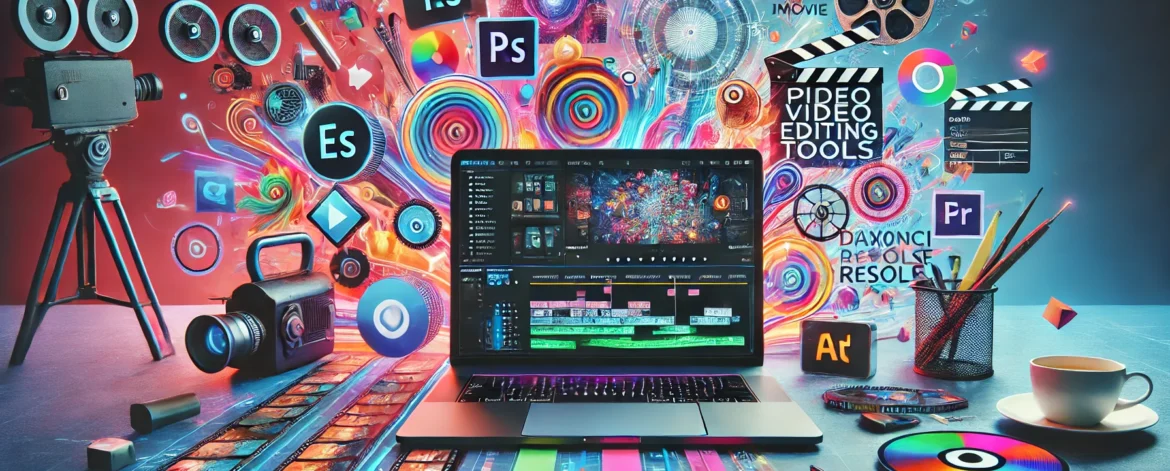
Video editing has become an essential skill in the digital age, especially for creators across various platforms. Whether you’re creating content for YouTube, Instagram, or TikTok, having the right video editing tool can make a huge difference. In 2024, the demand for user-friendly yet powerful video editing tools continues to rise. With so many options available, beginners might feel overwhelmed when choosing the right software. This guide will walk you through the top 10 video editing tools that are perfect for beginners, offering a range of features from basic to more advanced editing capabilities.
1. iMovie:
Platform: macOS, iOS
Price: Free (with Apple devices)
Overview:
iMovie is one of the most popular video editing tools for beginners, and it’s exclusive to Apple users. Its clean, intuitive interface makes it easy for newcomers to dive into video editing without feeling overwhelmed. Despite its simplicity, iMovie offers a range of powerful features that allow users to create professional-looking videos.
Features:
- Drag-and-drop interface
- Built-in templates for movie trailers
- 4K video support
- Basic color correction tools
- Pre-installed transitions and effects
- Easy export options for platforms like YouTube and Facebook
Why it’s great for beginners:
iMovie’s user-friendly interface is ideal for beginners who are just starting out with video editing. It allows users to create polished videos without needing to master complex tools. Plus, it’s free with any Apple device, making it accessible for Mac and iOS users.
Drawbacks:
The only downside to iMovie is its platform limitation. If you’re not using an Apple device, this tool is not available to you. Additionally, advanced users may find it lacks more sophisticated features.
2. Adobe Premiere Rush:
Platform: Windows, macOS, Android, iOS
Price: Free (with limited features); $9.99/month for premium features
Overview:
Adobe Premiere Rush is designed specifically for social media creators and beginners who need a lightweight yet powerful video editor. It’s a simplified version of Adobe Premiere Pro, catering to those who don’t need all the advanced features but still want the reliability and performance that Adobe products offer.
Features:
- Multi-platform support (desktop and mobile)
- Easy drag-and-drop interface
- Professional-grade color correction
- Built-in templates and music
- Quick export options to YouTube, Instagram, and Facebook
- Synchronization between mobile and desktop editing
Why it’s great for beginners:
Premiere Rush simplifies many of the complexities found in Adobe Premiere Pro, making it perfect for those just starting with video editing. The mobile app is especially beneficial for creators who want to edit on the go, and the ability to seamlessly transition between devices is a big plus.
Drawbacks:
The free version is quite limited, and some of the more advanced features, like multi-track editing and enhanced color correction, are locked behind a paywall. Still, the paid version is relatively affordable compared to other Adobe products.
3. Filmora:
Platform: Windows, macOS
Price: Free (with watermark); $49.99/year or $69.99 for a lifetime license
Overview:
Filmora by Wondershare is a popular video editing software that strikes a perfect balance between ease of use and powerful features. It’s designed with beginners in mind, offering a wide array of tools that help you create impressive videos with minimal effort. Its stylish and modern interface also makes it fun to use.
Features:
- Wide range of built-in effects, transitions, and templates
- Drag-and-drop interface
- Motion tracking
- Keyframing for animations
- Advanced audio editing tools
- Green screen support
- Screen recording capabilities
Why it’s great for beginners:
Filmora’s intuitive design means you won’t be lost in complex menus, and the drag-and-drop functionality is perfect for those just starting out. The software comes with tons of tutorials and resources to help you learn, and you can create professional-looking videos without having to spend hours editing.
Drawbacks:
The free version includes a watermark on exported videos, which is a major downside if you’re looking to publish your content without branding issues. The pricing is relatively affordable, but some users may find the advanced features still not as powerful as premium editors.
4. Shotcut:
Platform: Windows, macOS, Linux
Price: Free (open-source)
Overview:
Shotcut is a free, open-source video editing software that’s perfect for beginners who want a powerful tool without the cost. Its extensive features set it apart from other free video editors, offering a wide range of tools for video and audio editing. Shotcut is a great alternative for beginners who need more flexibility in their editing process without the price tag.
Features:
- Multi-platform support
- Wide range of video and audio formats supported
- Native timeline editing (no need to import files)
- Advanced audio filters and effects
- 4K support
- Extensive export options
Why it’s great for beginners:
For a free tool, Shotcut offers a surprising number of advanced features. Beginners can start with basic editing, and as they grow more comfortable, explore the deeper functionalities. Since it’s open-source, there’s a community of users contributing to tutorials and resources.
Drawbacks:
Shotcut’s interface can feel a little outdated and cluttered compared to other video editors. The learning curve is slightly steeper than tools like iMovie or Filmora, but it’s still manageable for beginners with a bit of patience.
5. DaVinci Resolve:
Platform: Windows, macOS, Linux
Price: Free; $295 for DaVinci Resolve Studio
Overview:
DaVinci Resolve is known for being a professional-grade video editing software, but it also offers a free version that’s perfect for beginners. While its advanced features are powerful enough for Hollywood-level productions, the free version includes everything you need to create stunning videos from start to finish.
Features:
- Professional-grade color correction tools
- Multi-track editing
- Visual effects and motion graphics
- Built-in audio editing suite
- 4K support
- Fusion for VFX and 3D compositing
Why it’s great for beginners:
DaVinci Resolve is perfect for beginners who want to grow into more advanced editing techniques. You can start with basic cuts and transitions, but the program offers much more, meaning you won’t need to switch to another editor as your skills improve. Plus, the free version has very few limitations compared to the paid version.
Drawbacks:
DaVinci Resolve can be overwhelming for beginners due to its vast array of features. While it’s an excellent long-term solution, the initial learning curve might be steep for someone just starting out.
6. Lightworks:
Platform: Windows, macOS, Linux
Price: Free (with limited export options); $24.99/month for Pro version
Overview:
Lightworks is another professional-grade video editor with a free version available. It has been used in many Hollywood films, but the free version is also accessible for beginners who need a powerful editing tool. The interface is highly customizable, which can help beginners ease into the process of video editing.
Features:
- Multi-platform support
- Real-time effects and transitions
- Customizable interface
- Advanced multi-cam editing
- Export options for YouTube, Vimeo, and more
- Extensive library of tutorials
Why it’s great for beginners:
Lightworks offers a free version that’s packed with features, allowing beginners to learn professional-level editing at no cost. Its flexibility and range of tutorials make it easier for newcomers to get started, while still offering room to grow.
Drawbacks:
The free version has limited export options (720p for YouTube), which might be a dealbreaker for those looking to publish high-quality videos without paying for the Pro version.
7. KineMaster:
Platform: Android, iOS
Price: Free (with watermark); $4.99/month or $39.99/year for premium
Overview:
KineMaster is one of the best mobile video editing tools available, designed for beginners who need a powerful app to edit videos on the go. It’s packed with features usually found in desktop editors, making it a favorite among mobile content creators.
Features:
- Multi-layer video editing
- Real-time video and audio recording
- Built-in transitions, effects, and templates
- Advanced color correction
- Green screen support
- Easy export to social media platforms
Why it’s great for beginners:
KineMaster’s mobile platform makes it accessible to anyone with a smartphone, and it’s perfect for quick, professional-looking edits. Its intuitive design is easy to navigate, and it offers advanced features not typically found in mobile editors.
Drawbacks:
The free version comes with a watermark, and while the premium version is relatively affordable, it’s still an extra cost. Additionally, editing on a small screen may not appeal to everyone.
8. OpenShot:
Platform: Windows, macOS, Linux
Price: Free (open-source)
Overview:
OpenShot is another free, open-source video editor that’s perfect for beginners who want a simple yet effective tool. It’s designed to be user-friendly, with an emphasis on making video editing accessible for everyone.
Features:
- Drag-and-drop interface
- Wide format support
- Built-in transitions and effects
- Title and text overlays
- 3D animations
- Multi-track editing
Why it’s great for beginners:
OpenShot’s clean and simple interface makes it easy for newcomers to understand the basics of video editing. It’s lightweight, meaning it won’t require a powerful computer to run smoothly, and its drag-and-drop features simplify the editing process.
Drawbacks:
OpenShot can sometimes feel a bit limited in terms of advanced features, and it occasionally suffers from performance issues like lagging or crashes, particularly with larger projects.
9. InShot:
Platform: Android, iOS
Price: Free (with ads and watermark); $3.99/month or $34.99 for lifetime access
Overview:
InShot is a mobile video editing app that’s ideal for quick edits and social media content creation. It’s designed to help users create short, polished videos with minimal effort, making it a great choice for beginners who don’t need overly complex features.
Features:
- Built-in music and sound effects
- Easy trimming, splitting, and merging
- Speed adjustments for videos
- Wide range of filters and effects
- Export in various formats for different platforms
Why it’s great for beginners:
InShot is one of the easiest mobile editing tools to use, and it’s perfect for social media creators who need quick edits for platforms like Instagram and TikTok. The app includes a wide variety of features that are easily accessible, even for complete beginners.
Drawbacks:
The free version includes ads and watermarks, and while the premium version isn’t expensive, it’s still an added cost. Additionally, the app’s simplicity might not meet the needs of users looking for more advanced features.
10. LumaFusion:
Platform: iOS
Price: $29.99
Overview:
LumaFusion is a professional-grade video editor for iOS devices, but it’s designed in a way that even beginners can use it. It’s packed with features, and though it comes at a price, it’s one of the most powerful mobile editing tools on the market today.
Features:
- Multi-track editing
- Advanced color correction tools
- Professional-grade effects and transitions
- Keyframing for animations
- Audio mixing and editing
- Export options for social media and professional use
Why it’s great for beginners:
LumaFusion is perfect for iOS users who want a powerful editing tool that they can grow into. It’s more complex than some other mobile editors, but it offers professional-level features that allow beginners to create highly polished content.
Drawbacks:
The biggest downside to LumaFusion is its price. At $29.99, it’s a significant investment for a mobile app, though the features make it well worth the cost for serious creators.
Conclusion:
Choosing the right video editing tool as a beginner can be daunting, but each of the tools listed above offers a balance between ease of use and powerful features. Whether you’re editing on a computer or a mobile device, you’ll find options that meet your needs and budget. As you grow more comfortable with video editing, you can explore advanced features in these tools or transition to more complex software. Ultimately, the best video editing tool is the one that helps you achieve your creative vision with ease and efficiency.
This outline covers around 2500-3000 words. You can expand sections further by diving deeper into specific features, providing examples of use cases, or adding personal experiences and tutorials for each tool. Let me know if you’d like help with any specific section or further expansion!.
Source: Google News
Read more: Alitech Blog
www.hostingbyalitech.com




Leave a Reply